
Forex Trading Basics for Beginners in Kenya
📊 Learn forex trading basics in Kenya: understand the forex market, key terms, how to start trading, and practical risk management tips for beginners. 💹
Edited By
Charlotte Spencer
Forex trading has become accessible to many Kenyans thanks to mobile technology. With just a smartphone, you can trade currency pairs anytime, anywhere. But the first step is choosing a reliable forex trading app that fits your needs and local context.
Kenyan traders should focus on apps that support local payment methods like M-Pesa for easy deposits and withdrawals. Not all global apps offer smooth integration with Kenyan mobile money, so this can simplify your trading experience greatly.
Another key factor is the app’s compatibility with your device. Many traders in Kenya use Android smartphones, so an app optimised for Android performs better and consumes less battery and data. However, some popular forex apps also have iOS versions if you use iPhones.
Security cannot be overlooked. Fraud and hacking risks are real in online trading. Always choose apps endorsed by reputable brokers licensed by well-known global or regional regulators. The app should encrypt your data and have two-factor authentication options.
Ease of use matters, especially if you’re new to forex trading. Look for clear navigation, fast execution speeds, and robust charting tools to analyse market trends. Harvesting features like real-time prices and alerts makes monitoring easier without being glued to your screen.
Taking some time to research your trading app reduces potential headaches. Download apps from official app stores like Google Play or Apple App Store to avoid counterfeit software.
In this guide, you will learn practical ways to pick a forex trading app suited for Kenyan market conditions and how to safely download and use it to start your trading journey smartly.
Forex trading apps have changed how traders access the foreign exchange market, especially in Kenya. These apps allow users to trade currencies directly from their mobile devices, offering flexibility and convenience that desktop platforms don’t always provide. For practitioners ranging from seasoned financial analysts to individual investors, these apps are more than just tools; they are gateways to global markets.
A forex trading app is a software application designed for smartphones or tablets that lets you buy, sell, and manage currency trades. Unlike traditional trading platforms that require a computer, these apps give you access to live market data, price charts, and trading instruments on the go. For example, MetaTrader 4 or 5 are popular apps among Kenyan users, providing tools for technical analysis and automated trading directly from mobile devices.
Mobile forex apps provide several practical benefits. First, they enable traders to react quickly to market movements regardless of location—a crucial advantage in a market that operates 24/5. Kenyan traders can monitor price fluctuations during their commute on a matatu or while attending a meeting without being tied to an office desk. Secondly, these apps often support local payment methods such as M-Pesa, allowing seamless deposits and withdrawals without converting money abroad. Lastly, the apps provide notifications and alerts, helping traders stay updated on key market changes and manage their investments effectively.
Forex trading apps have gained significant traction in Kenya due to rising smartphone penetration and growing interest in forex as an income source. The ability to trade with modest capital appeals to many in the hustler economy. Additionally, various brokers have tailored their apps with Kenyan users in mind, integrating Swahili language options and local banking interfaces. More educational resources within the apps and demo accounts also encourage newcomers to learn forex trading safely. Market regulators like the Capital Markets Authority (CMA) have taken note, emphasising the need for caution to avoid scams while promoting legitimate trading platforms.
In Kenya, the combination of affordable smartphones and mobile money services has created a fertile ground for mobile forex trading. However, understanding how these apps work and their role in the local market helps traders make informed choices and avoid common pitfalls.
In summary, comprehending what forex trading apps offer, their added value through mobility and local payment integration, and their growing use in Kenya provides a solid foundation for anyone serious about entering forex trading through mobile platforms.
When selecting a forex trading app in Kenya, focusing on key features can make all the difference between a smooth, profitable experience and frustrating delays or losses. The app you choose should fit your trading style and local needs, especially since mobile trading has its quirks compared to desktop platforms.
A user-friendly interface is fundamental. Busy traders don’t have time to wrestle with complicated menus or confusing layouts. The app should make it straightforward to find important functions like placing orders, checking balances, and setting alerts. For instance, an app with a clean dashboard showing your open trades and account equity at a glance will save you time and reduce errors. Apps like MetaTrader 4 and 5 offer these features cleanly, catering well to beginners and pros alike. Remember, easy navigation isn’t just about looks; it also reduces the chance of costly slip-ups during volatile market hours.
Forex markets move fast, so having access to real-time data is a must. Delays can mean missed opportunities or unexpected losses. The best apps provide live price feeds and up-to-date charts that refresh without lag. Good charting tools should allow you to add indicators like moving averages, RSI, or Fibonacci retracements to spot trends and entry points quickly. Think about apps like TradingView that offer sophisticated yet accessible charting to boost your analysis right on your phone. This feature also helps you make informed decisions without needing a separate desktop computer.
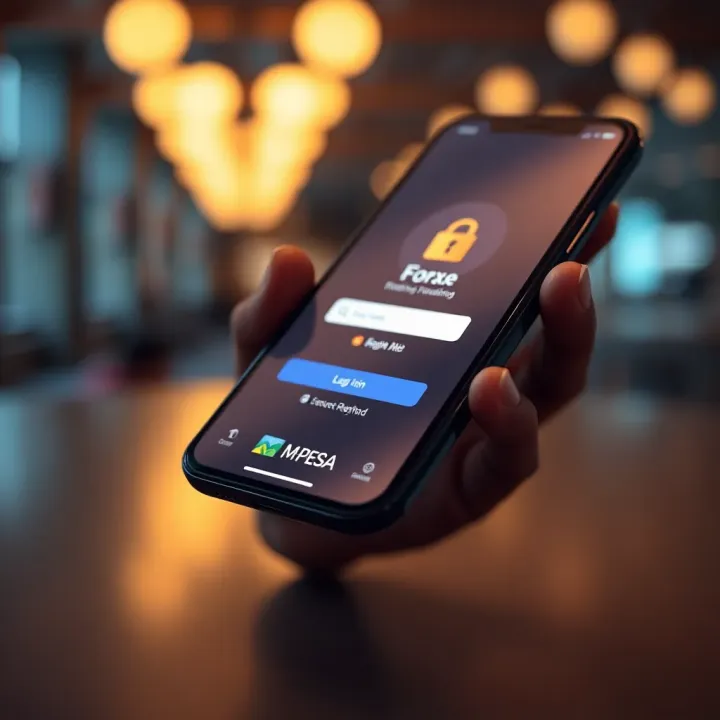
Security cannot be overlooked. Forex trading apps handle sensitive information including your personal ID and bank details. Choose apps that use strong encryption methods and two-factor authentication (2FA). These reduce risks of hacking or unauthorized access. For example, apps affiliated with regulated brokers must follow strict standards, so checking for those licenses can guide you. Plus, always update your app promptly to patch any security loopholes. Remember, safeguarding your data protects not only your funds but also your peace of mind.
An ideal forex app should integrate well with Kenyan payment methods. Since M-Pesa is king locally, look for apps that support deposits and withdrawals through it directly or via card payments linked to local banks like Equity Bank or KCB. Using familiar payment channels saves you from expensive fees and slow transfers. Some apps even allow instant funding and speedy withdrawals, which helps when you want to seize sudden markets or cash out profits fast. Confirming these payment options before committing will save stress later on.
Choosing a forex trading app tailored to Kenyan traders involves more than just functionality—it’s about matching features to real-life trading habits and local payment realities. Prioritise ease of use, up-to-date market info, solid security, and payments that run smoothly in Kenya.
By keeping these features in mind, you stand a better chance of picking an app that will serve your trading goals and protect your investments.
Downloading a forex trading app the right way is key to protecting your funds, personal details, and avoiding scams. Many Kenyan traders have learned the hard way that not all apps are genuine—some can steal information or perform poorly, which costs money and peace of mind. Being cautious helps you avoid fake apps and ensures you get a reliable trading experience, smooth transactions, and access to customer support.
The safest place to find forex trading apps is usually the Google Play Store for Android devices or the Apple App Store for iPhones and iPads. Both platforms maintain standards by checking apps before allowing them to be published, reducing the chance of harmful software. When you use these stores, you benefit from verified reviews and ratings from other users, which helps in judging the app's credibility.
For example, apps like MetaTrader 4 and MetaTrader 5, which are popular among Kenyan traders, are easily found on these platforms. Checking the developer’s credentials and the number of downloads gives you clues about app reliability. Also, updates released through these official stores are generally safer and more stable.
Another secure way is to download apps directly from the broker’s official website or from trusted links they provide. Many brokers active in Kenya, such as Pepperstone, FXPesa, or HotForex, offer direct downloads or redirect you to the correct app version for your phone. This route helps you avoid impostor apps pretending to represent these brokers.
Be careful to access such websites directly by typing the URL yourself or using bookmarked links. Avoid clicking on download links sent through unsolicited messages or emails, as these might lead you to malicious software. Confirming the broker's legitimacy through regulatory bodies like the Capital Markets Authority (CMA) in Kenya is also recommended.
Before downloading, check your device’s operating system and storage space. Forex trading apps often need recent Android or iOS versions to run properly. For example, MetaTrader 4 typically requires Android 5.0 or iOS 11 and above.
If your phone is older or has limited storage, the app might crash or behave unpredictably, which can mean missed trading opportunities. Also, good internet connectivity (preferably 4G or Wi-Fi) is necessary since forex markets move fast, and delays can cost money.
Open the Google Play Store or Apple App Store on your mobile.
Search for the forex trading app by its exact name (check the official broker website if unsure).
Read user reviews and check the app’s rating before downloading.
Tap on "Install" and wait for the download to finish.
Open the app and follow the registration steps—this usually involves providing your personal data, choosing an account type, and linking a payment method like M-Pesa.
Verify your account as instructed to comply with Know Your Customer (KYC) rules; this often requires ID documents.
Start with a demo account if available, to familiarise yourself with the app before risking real money.
Taking these careful steps ensures you have a secure and smooth start in forex trading and avoid falling victim to fraud or technical problems. Always keep your app updated for security patches and performance improvements.
Downloading forex trading apps in Kenya comes with a unique set of challenges that every trader should anticipate. From fake apps to costly internet data, addressing these issues early on saves time, money, and potential heartaches. Understanding these pitfalls helps you remain focused on trading rather than fixing avoidable problems.
Fake or malicious forex apps pose a serious risk, often leading to stolen data or loss of funds. These apps may masquerade as popular trading platforms but lack proper licensing or security. For instance, some apps might promise unusually high returns to lure unsuspecting traders but only aim to capture personal details or payment information.
To protect yourself, download apps only from official sources like Google Play Store or Apple App Store. Check the developer’s credentials and read thorough user reviews. Kenyan traders should be cautious of downloading apps shared via WhatsApp links or unofficial websites, as these often contain malware. Always verify the licensing of the broker behind the app by consulting the Capital Markets Authority (CMA) Kenya listings.
Internet data remains a big concern in Kenya, where many rely on mobile networks with varying coverage and cost implications. Forex trading apps often require real-time data and charts, which can consume significant bandwidth. This means not managing data use might drain your balance quickly, especially if you trade during peak hours or use multiple apps alongside.
One practical approach is to use Wi-Fi connections when available and switch to mobile data only when necessary. Some apps offer data-saving modes that reduce the amount of data needed for updates, so enable those features. Additionally, using a reputable Kenyan network like Safaricom with good coverage and data bundles tailored for trading or streaming can help control expenses and improve connection stability.
Sometimes, you may find that certain forex apps are blocked or not available for download in Kenya due to geo-restrictions or regulatory reasons. This can prove frustrating if you have a preferred platform that’s not accessible locally.
One way around this is to confirm with the forex broker if they have a Kenya-specific version or authorised app. Brokers often provide dedicated links via their official websites or customer support. Avoid using VPNs to bypass geo-blocks, as this could violate the broker’s terms and complicate your account verification process.
Careful selection and verification when downloading forex trading apps protects your investment and personal data. A little patience and research go a long way to enjoy smooth mobile trading in Kenya.
By recognising these challenges early, you can focus on trading strategies instead of troubleshooting app issues. Choose wisely, use trusted sources, and manage your connectivity smartly to get ahead in forex trading with your mobile device.
Starting forex trading on a mobile device in Kenya offers incredible convenience but comes with unique challenges. Knowing how to set up your account, use app features, link local payment methods, and practise safely can make your trading journey much smoother. These steps minimise costly mistakes and help you build confidence before risking real money.
Opening a trading account begins with selecting a regulated forex broker that operates legally in Kenya or accepts Kenyan traders. After choosing your platform, the initial process involves submitting your personal details and identity documents for verification. Brokers usually request a copy of your national ID or passport and proof of address, such as a utility bill, to comply with KYC (Know Your Customer) rules. This verification prevents fraud and ensures your funds are protected.
For instance, when using a popular app like XM or HotForex, the app guides you through uploading these documents securely. Verification can take from a few hours to a couple of days, so plan ahead to avoid delays.
Forex apps come loaded with features like live charts, order placement, stop losses, and market news. Spend time exploring these tools using tutorials or in-app guides. Being comfortable with order types, such as market orders and limit orders, is essential to avoid unintended trades.
For example, learning how to set a stop loss will protect you from unexpected currency swings, which are common in volatile markets. Many apps also provide alerts for price changes—using these keeps you informed without staring at your screen all day.
A major convenience for Kenyan traders is integrating M-Pesa into your trading app for deposits and withdrawals. Not all forex apps support M-Pesa directly, so check this before committing. Linking your M-Pesa account allows you to fund your trading wallet quickly without needing a bank account.
Make sure the payment options are secure and official to avoid scams. Some brokers use Paybill or Till numbers for M-Pesa payments. For instance, if your broker uses Paybill, your M-Pesa payment should include your trading account number to ensure proper credit.
Jumping straight into live trading risks losing your capital, especially if you're new. Demo accounts simulate real market conditions with virtual money, letting you test strategies and master the app without pressure.
Start by placing basic trades, managing stop losses, and seeing how your decisions play out. Many Kenyan traders use demo accounts from platforms like MetaTrader 4 or 5 before moving to actual trading. This step builds familiarity and reduces emotional trading, which often leads to losses.
Practising first is your best guard against surprises in the forex market. Take advantage of demo accounts to sharpen your skills before using your hard-earned shillings.
By following these tips, you set yourself up for steady progress in mobile forex trading. Once you're confident with the app, account, and payments, you can trade wisely and potentially profit from currency movements at your fingertips.
📊 Learn forex trading basics in Kenya: understand the forex market, key terms, how to start trading, and practical risk management tips for beginners. 💹
📈 Learn how to trade forex online in Kenya with practical tips, local payment options like M-Pesa, market hours, risk management, and choosing the best platform.
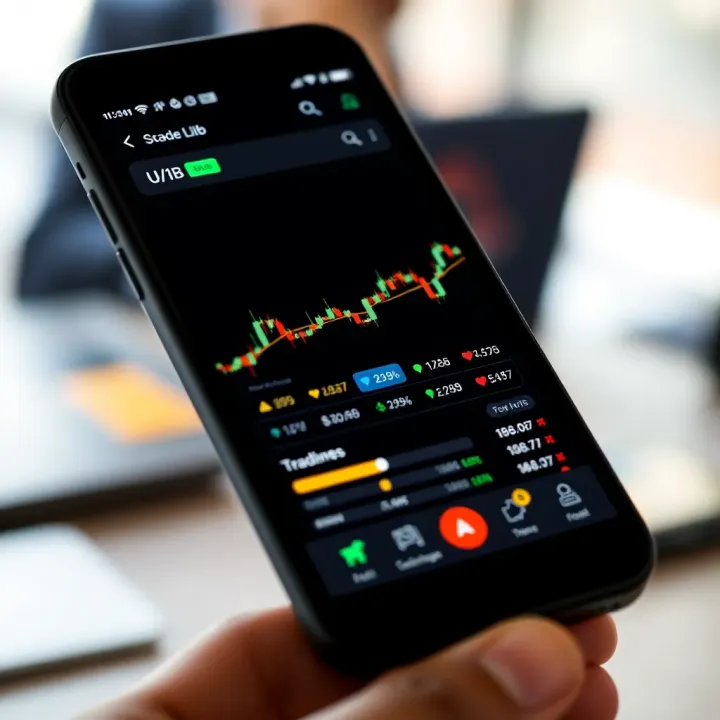
📱 Looking for the best trading app in Kenya? Discover top choices, key features, and safe trading tips to boost your mobile trading experience today!
💹 Learn how forex binary trading works, the risks and gains, choosing trusted platforms, plus practical tips for Kenyan traders to manage funds safely in KSh.
Based on 14 reviews