
How to Download and Use the Deriv App in Kenya
📲 Learn how to download the Deriv app on your device, set up your account, and navigate the trading platform smoothly with tips tailored for users in Kenya 🇰🇪.
Edited By
Isabella Wright
Trading on mobile devices has become increasingly popular in Kenya, and the Deriv app offers a straightforward way to tap into currencies, CFDs, and other assets from your phone. This short guide focuses on what you need to know to download the Deriv app safely, set up your account, and start trading without unnecessary hassle.
Deriv is compatible with both Android and iOS devices common in Kenya. Whether you’re using a smartphone or a tablet, the app runs smoothly on most devices running Android 6.0 and above, or iOS 11 and later versions. Ensuring your device meets these requirements helps avoid crashes or slow performance.
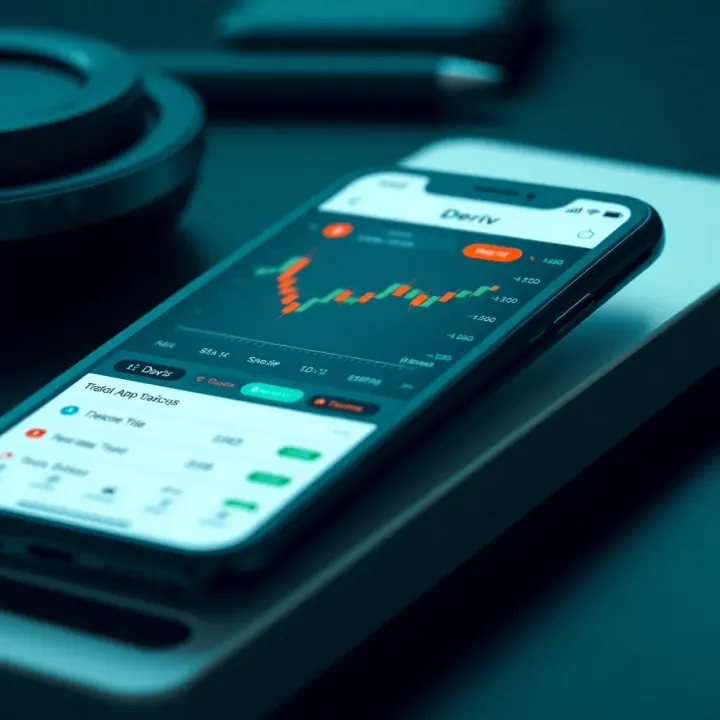
To get started, you’ll first want to download the app from the Google Play Store if you use an Android device or the Apple App Store for iPhones and iPads. Because of occasional regional restrictions, if you can’t find the app, you might need to adjust your app store region or download the installation file (APK) directly from Deriv’s official website, but be careful to avoid unofficial sources that may carry security risks.
Once the download is complete, setting up your account involves a few steps like verifying your identity, which is standard for regulated trading platforms. This process helps protect your funds and personal information against fraud. Make sure to have your identification documents and proof of address ready during registration.
Remember, strong passwords and enabling two-factor authentication add an essential layer of security to your account.
The Deriv app offers features like live price charts, market news, and easy fund transfers with M-Pesa services directly linked to your trading account. Such integration is particularly useful for Kenyan traders looking for quick deposits or withdrawals.
In summary, with the right device and a cautious approach to downloading, you can easily get the Deriv app running and explore trading options at your convenience. The next sections will walk you through detailed steps on installation, account setup, security measures, and how to use key trading features effectively.
Getting a solid grasp of the Deriv app and what it offers is key before you start trading, especially in Kenya’s fast-evolving digital market. The app is not just any trading tool; it brings global financial markets closer to your fingertips, making trading accessible even if you are on the move or away from your desktop.
Deriv is a well-established online trading platform known for its variety of assets including forex, binary options, and CFDs (contracts for difference). It’s popular because it simplifies accessing international markets without needing a physical brokerage office. For example, a trader in Nairobi can easily buy a CFD on oil prices or stocks listed abroad directly from their mobile, without any complex paperwork or high capital.
The platform supports both beginner and advanced traders, offering demo accounts for practice and sophisticated tools for those who want detailed market analysis. Its user-friendly interface keeps things straightforward, but the backend is powerful enough to handle real-time market data and speed trades fast.
The Deriv mobile app comes packed with features that make trading flexible and convenient. It includes:
Live Trading: Access to real-time quotes and fast execution of trades, which is critical given how fast markets shift.
Charting Tools: Traders can view multiple chart types and attach technical indicators like moving averages or RSI, helping them analyse trends.
Custom Alerts: Set price alerts to stay on top of market moves without constantly watching your phone.
Secure Deposits and Withdrawals: Integration with popular Kenyan payment systems like M-Pesa makes funding your trading account simple and fast.
These features help you stay connected to the markets and manage your trades effectively even when away from your computer.
The Deriv app fits well with Kenyan trading needs for several reasons. First, the widespread use of mobile phones and M-Pesa in Kenya means you can quickly deposit and withdraw money without lengthy bank processes. This ease of access is critical for traders who need both speed and reliability.
Moreover, Deriv's flexible trading options (like forex pairs including USD/KES and commodities) allow traders to tap into both local and global market trends. For example, if you follow how the Kenyan shilling performs against the dollar, you can position your trades to benefit from expected movements during forex volatility.
Using Deriv’s app means you’re not tied to a fixed place or time, which suits the Kenyan hustle where many juggle several activities. You can trade during your spare minutes, whether you’re commuting in a matatu or waiting in line at the duka.
In addition, the app offers educational resources and a demo mode so newcomers can familiarise themselves without risking real money. Given the growing interest in forex and online trading among Kenyans, this makes Deriv a practical choice to start with.
Overall, understanding Deriv and what it brings to the table helps you make informed decisions, maximise your trading potential, and protect your investments in an increasingly digital economy.
Before downloading the Deriv app, ensuring that your device meets the necessary compatibility and technical requirements is vital. This step helps prevent issues such as app crashes, slow loading times, or security vulnerabilities, which can affect your trading experience, especially when making quick decisions in volatile markets.
Deriv supports both major mobile operating systems: Android and iOS. For Android users, the app typically requires Android version 6.0 (Marshmallow) or later. Devices running older versions may not support all functionalities or the app might not install at all. On the iOS side, the Deriv app generally requires iOS 12.0 or later, which covers iPhone 6S models and newer. This means users with devices like iPhone 5 or older won’t be able to use the app fully.
To check your Android version, head to Settings > About Phone > Software Information. For iOS, go to Settings > General > About > Software Version. Upgrade your device if the version is below the minimum requirement; otherwise, you might miss out on smooth trading.
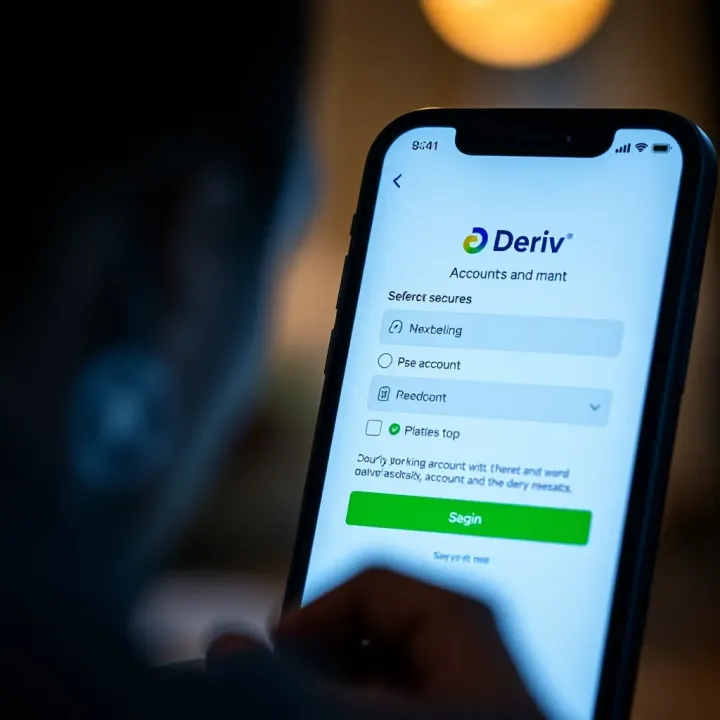
Trading actively on Deriv requires certain hardware specs to avoid lag or freezing, especially when analysing charts or executing trades. Your device should have at least 2 GB of RAM, which allows the app to run alongside other background processes common in daily smartphone use.
Storage space is also necessary — make sure you have at least 100 MB free to install the app and download updates. Devices with slower processors or limited memory might struggle, causing delays that affect timely trades. If you notice slowed response times during market hours, consider clearing background apps or upgrading your device.
Stable internet connection is non-negotiable for online trading. In urban centres like Nairobi, Mombasa, or Kisumu, 4G LTE networks provide sufficient speed, enabling smooth streaming of live charts and quick order execution. However, in some rural or semi-urban areas, connectivity might drop to 3G or weaker.
For effective trading, your mobile data plan should allow a consistent internet speed of at least 1 Mbps. This ensures real-time price updates and order confirmations without frustrating delays.
Also, consider data costs when using the app. Streaming live market data can consume between 50 to 100 MB per hour depending on your activity level. Bundles such as Safaricom’s "Data Plus" or Airtel’s "Reasonable Bundles" help manage costs while you trade confidently.
In summary, checking your device’s operating system, hardware, and internet capability will save you unnecessary headaches. Proper compatibility means smoother trading, better responsiveness, and a safer experience on the Deriv app tailored to Kenyan traders’ needs.
Downloading the Deriv app correctly is key to getting started with trading smoothly in Kenya. This guide helps you avoid common pitfalls, ensuring you have the app set up right on your mobile device, whether Android or iOS. By following clear steps, you’ll save time and reduce frustrations, plus enjoy quick access to all trading features.
For Android users, the easiest way to get Deriv is through the Google Play Store. Open Play Store, search for Deriv, and tap ‘Install’. This method guarantees you receive the genuine app with automatic updates. However, some users prefer downloading the APK file directly, especially when Play Store options are limited. When using an APK, make sure to download it from a trusted site like the official Deriv website to avoid malicious copies. After downloading the APK, you’ll need to enable ‘Install from Unknown Sources’ in your device settings. This usually involves going to Settings > Security > Unknown Sources and toggling it on. Remember to turn it off afterwards for security.
If you have an iPhone or iPad, go to the Apple App Store and search for Deriv. The official app will appear with clear branding, often rated highly by users. Tap ‘Get’ and then confirm the download with your Apple ID or Face ID. The App Store handles all installation details, so you don’t need to adjust extra settings. Once downloaded, the Deriv app appears on your home screen, ready for set up.
After downloading the app on any device, you’ll be prompted to grant certain permissions. For smooth trading, Deriv typically asks for access to internet, notifications, and sometimes device storage to save your preferences. Always review permissions carefully; avoid giving access beyond what appears necessary. For example, it should not request access to your contacts or call logs. Granting notification permissions is helpful as you get updates on your trades or market alerts in real-time.
Always verify the source of your download and monitor app permissions to keep your trading activity safe on mobile devices.
Performing these steps carefully ensures your Deriv app is genuine, updated, and ready to use with all features working as intended. This preparation means you can focus on trading confidently without worrying about app glitches or security risks.
Before you can start trading on the Deriv app, setting up your account properly is a must. This step ensures you have secure access to your portfolio and all the app's trading options. It also simplifies managing deposits, withdrawals, and other personal settings tailored to Kenyan users' preferences.
When creating a new account, open the Deriv app and select the "Sign Up" option. You'll be asked to provide basic details like your full name, email address, and mobile number. Using a valid email and phone number is important because they act as your primary contact points for verification and security alerts. For Kenyan users, registering with the correct phone number linked to M-Pesa can make payment integration smoother later on.
You will also need to set a strong password and agree to the terms and conditions. The app may request identification documents at this stage to comply with Know Your Customer (KYC) regulations — typical documents include a national ID or Kenyan passport. This verification helps protect your funds and keeps the platform compliant with local financial laws.
Deriv supports multiple deposit options, but for Kenyan traders, M-Pesa integration is the most convenient. After setting up your account, navigate to the payment or wallet section in the app. Choose M-Pesa as your preferred deposit method, then enter your phone number and the amount you wish to deposit.
Using M-Pesa allows instant funds transfer directly from your mobile wallet to your Deriv account. This method eliminates the hassle of visiting a bank or using cards. Besides M-Pesa, you can link other payment methods like bank cards or e-wallets supported by Deriv, but M-Pesa remains the fastest and most accessible for many traders in Kenya.
Once your account is active, log in using your email or phone number and the password you created. The Deriv app presents a clean, user-friendly interface, designed to be intuitive even for new traders. The main dashboard gives a snapshot of your current balance, open trades, and market updates.
Take a moment to explore the menu: you’ll find options for opening new trades, checking your transaction history, analysing charts, and accessing support. The app also features notifications to keep you updated on market movements or account activity. If you like, you can customise the dashboard layout to focus on the trading instruments you prefer — for example, forex pairs or indices.
Setting up your account and linking payment methods carefully is key to smooth, secure trading on the Deriv app. Taking time here saves frustration later.
In summary, starting with a verified account, linking reliable payment options like M-Pesa, and familiarising yourself with the user interface forms the foundation of a good trading experience. Kenyan traders especially benefit from these tailored features, as they combine ease-of-use with local financial conveniences.
Trading on your mobile device brings convenience but also raises security challenges. Ensuring your safety while using the Deriv app means protecting your account, money, and personal information from threats common in mobile trading. For Kenyan traders who often rely on mobile internet and public Wi-Fi, staying cautious is vital to avoid falling into traps like phishing, fraud, or hacking.
Two-factor authentication (2FA) adds a strong layer of security by requiring two forms of verification before you can log in. Instead of relying only on a password, 2FA typically involves something you know (your password) plus something you have (a code sent to your phone). Once enabled in the Deriv app, even if someone guesses your password, they won't get in without the unique code sent via SMS or generated by an app like Google Authenticator.
To set 2FA, go to your profile settings, find the security section, and follow the instructions to link your mobile number or authentication app. This step practically blocks unauthorised access, especially if you use a simple password or share devices with others.
Many users don’t realise how easily scams can slip in while trading from mobile. Phishing attempts—where fraudsters send fake emails or messages pretending to be Deriv—are widespread. They may ask you to click suspicious links or reveal your login details. Always verify the sender’s address carefully, and never submit personal details on links sent through SMS or WhatsApp.
Another risk is logging in from unsecured public Wi-Fi, which criminals can exploit to intercept your data. If you need to trade on a café or library Wi-Fi, use a reliable virtual private network (VPN) to encrypt your connection. Also, avoid downloading apps from unofficial sources, as these can carry malware designed to steal your credentials.
Mobile devices are more vulnerable to theft or loss, so consider these practical tips:
Use a strong, unique password for your Deriv account and change it regularly.
Log out after each trading session, especially on shared or public devices.
Keep your phone’s operating system and apps updated to patch security holes.
Disable auto-login and biometric access if you feel uncomfortable with others possibly accessing your phone.
Monitor your account activity frequently; Deriv provides a history log—check for unfamiliar trades or logins.
Always safeguard your trading app just as you would your bank account. A few simple security steps can prevent major losses and stress.
Following these guidelines will help you trade confidently on the Deriv app without exposing yourself to preventable risks. Good security habits make a big difference, especially in a bustling digital economy like Kenya’s where mobile trading is growing rapidly.
Getting to know the key features and trading options on the Deriv app helps you make informed decisions and trade confidently. The app supports various instruments such as forex, binary options, and contracts for difference (CFDs). Understanding these options and the available tools improves your ability to monitor markets and manage your trades effectively.
Deriv offers access to multiple financial markets, including forex pairs like USD/KES, EUR/USD, and GBP/USD, which are popular among Kenyan traders. You can also trade binary options, which are straightforward – predicting whether an asset’s price will rise or fall within a set timeframe. CFDs allow you to speculate on asset price movements without owning the underlying asset, covering commodities, indices, and cryptocurrencies.
For instance, if you expect the price of gold to rise, a CFD can let you benefit from this movement without actually buying gold. This flexibility suits different trading styles and risk appetites. The app makes switching between these asset classes quick, allowing you to diversify your portfolio.
Charts are your window into price action, and Deriv equips you with various chart types – candlestick, line, and bar charts – to suit your preference. Integrated technical indicators like moving averages, RSI (Relative Strength Index), and Bollinger Bands assist in spotting trends and potential entry points.
Imagine spotting a rising trend in USD/KES through moving averages crossing over; you might decide it's a good moment to enter a buy trade. Besides, the app includes market sentiment tools that show how other traders are positioned, providing useful hints on market momentum.
Regularly using these tools helps you avoid guesswork and build strategies based on data. Being able to analyse charts on your mobile device means you can seize opportunities quickly, even when on the go.
Managing your trades is vital for lasting success. Deriv’s app lets you monitor open positions in real time, showing profit/loss status clearly. You can set stop-loss and take-profit levels to manage risks automatically.
For example, if you buy forex at KS10 and want to limit losses to KS08, setting a stop-loss order ensures your trade closes automatically when the price hits that point. You can also close trades manually if market conditions change.
Performance tracking features give you an overview of past trades, helping evaluate which strategies work best. This continuous review is key for improving your trading skills.
Knowing how to access various markets, use analytical tools, and manage trades efficiently on the Deriv app can strongly improve your trading outcomes and confidence.
Understanding these features will equip you to trade smarter, tailor your strategies, and handle fluctuating markets without getting overwhelmed.
📲 Learn how to download the Deriv app on your device, set up your account, and navigate the trading platform smoothly with tips tailored for users in Kenya 🇰🇪.

📲 Learn how to safely download and install the Deriv app APK on Android. Discover tips, resolve common issues, and trade confidently in Kenya's market!
📱 Learn how to download, install, and navigate the Deriv app on Android in Kenya. Get tips on registration, features, security, and troubleshooting for smooth trading.

📱Looking to download the Deriv app APK in Kenya? This detailed guide covers safe installation, key features, differences from Play Store apps, and handy tips.
Based on 14 reviews